



29th December 2025
5 of the Best WordPress Ecommerce Plugins
If you run a WooCommerce site, plugins are both the fastest way to improve performance and the fastest way to damage it.
Most ecommerce sites don’t struggle because they lack features. They struggle because they add too many plugins without understanding the cost. Every WooCommerce plugin adds weight, complexity and maintenance overhead. Some improve conversion and operations. Many do not.
When it comes to WooCommerce web development projects, the real question is not which plugins are popular. It’s which plugins earn their place by improving revenue, efficiency or customer experience.
This guide looks at five WooCommerce plugin categories that consistently deliver commercial value when used at the right time, with one practical example for each.
Why plugin choice matters commercially
Ecommerce wordpress plugins affect far more than functionality. They influence:
- Page speed and checkout performance
- Conversion rate and trust
- Operational efficiency
- Ongoing development and maintenance cost
Install too many and performance suffers. Choose the wrong ones and teams spend months working around conflicts and updates instead of improving the store.
The goal is not to build the most feature-rich WooCommerce site. It’s to build a store that converts reliably and scales without friction.
What most ecommerce sites get wrong
Most WooCommerce sites repeat the same mistakes:
- Installing plugins because competitors use them
- Treating plugins as “free” because they’re open source
- Adding features before validating demand
- Ignoring performance impact until conversion drops
Ecommerce plugins for WordPress should earn their place. If a plugin does not reduce friction, increase conversion, or save operational time, it usually is not worth the trade-off.
How to choose WordPress ecommerce plugins
WordPress plugins are not a default choice. They solve specific problems and they also introduce trade-offs.
They work best when you are removing known friction. International pricing issues, abandoned carts, customer uncertainty or operational bottlenecks. In those cases, the upside outweighs the cost.
They are less suitable when added speculatively. As traffic grows, inefficient markup, script loading and plugin dependencies start to affect Core Web Vitals (CWV) and long-term maintainability.
This is where many teams get it wrong. They choose plugins based on reputation or feature count, not on how they behave in production.
When we assess WooCommerce plugins, we focus on a small set of practical criteria:
Conversion impact: Does it reduce hesitation or friction in the buying journey?
Operational value: Does it save time, reduce manual work or improve accuracy?
Performance cost: What does it add to page weight, scripts and checkout flow?
Maintainability: Will this still be manageable six or twelve months from now?
Cost over time: Licence fees, update overhead and the risk of lock-in.
We use this framework to decide which plugins are worth introducing and which are not. The examples below show how it plays out in practice on real WooCommerce sites.
1. Multi-currency support
Example: TIV Multi-Currency for WooCommerce
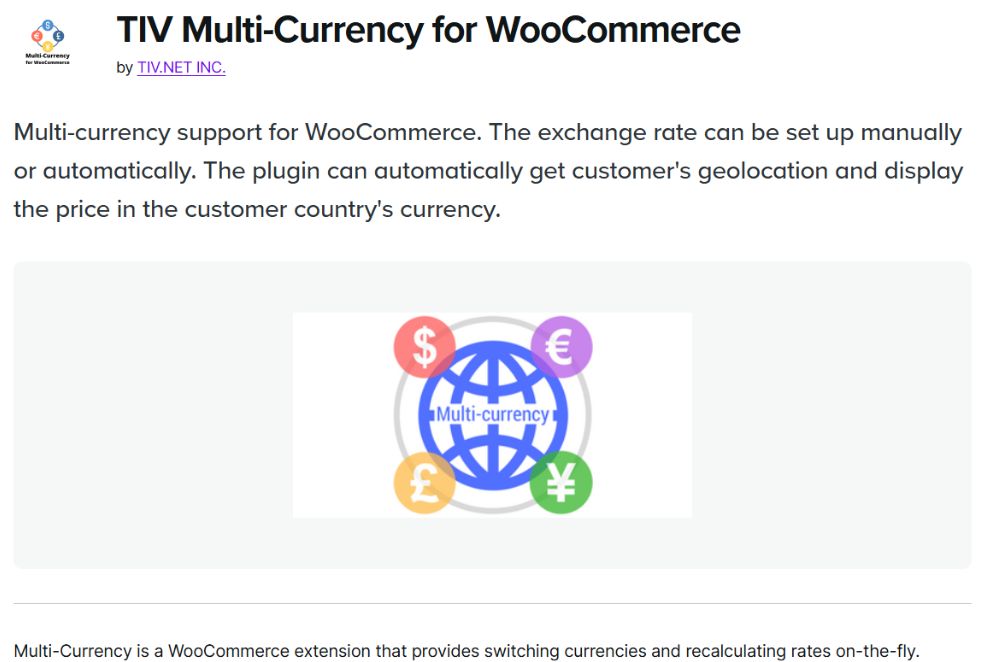
Selling internationally without local pricing creates unnecessary friction. Asking customers to calculate exchange rates during checkout increases hesitation at the point of purchase.
TIV Multi-Currency for WooCommerce allows users to browse and pay in their local currency, with consistent pricing through checkout.
This makes commercial sense when:
- International traffic is already meaningful
- Paid acquisition targets non-UK markets
- Average order value justifies the added complexity
It rarely makes sense early on. If most revenue is domestic, multi-currency adds operational overhead without improving conversion.
Used at the right stage, it removes a clear blocker. Used too early, it creates noise.
2. Trust and social proof
Example: TrustPulse

Trust is a conversion lever but it is often implemented poorly.
TrustPulse displays real on-site activity, such as recent purchases or sign-ups, to reassure first-time buyers. Used with restraint, this can reduce uncertainty.
It works best when:
- Order volume is already steady
- Notifications are subtle and contextual
- It supports, rather than interrupts, the buying journey
It does not replace fundamentals like reviews, delivery clarity or returns policies. Those usually move the needle first.
3. Email and lifecycle marketing
Example: Omnisend

Email consistently outperforms most paid channels on ROI once order volume is high enough to support lifecycle flows.
Omnisend is built for ecommerce lifecycle marketing rather than generic newsletters. It supports abandoned cart recovery, post-purchase follow-ups and repeat purchase flows from a single platform.
This category becomes valuable once:
- Orders are consistent
- Customer data volume is meaningful
- Retention matters as much as acquisition
Installed too early, tools like this sit idle. Installed at the right time, they generate repeat revenue with relatively low ongoing effort.
4. Multilingual support
Example: WPML
Multilingual plugins expand reach, but they also introduce overhead.
WPML enables fully translated WooCommerce sites, including product pages, checkout flows and transactional emails.
It earns its place when:
- International traffic already converts poorly
- Customer support shows clear language friction
- SEO strategy targets multiple regions
Partial localisation causes more harm than good. If checkout and emails are not translated, trust drops quickly.
5. Customer support and live chat
Example: LiveChat

Live chat can improve conversion for complex or high consideration products, but it is not universally effective.
LiveChat allows real-time support during browsing and checkout.
It performs best when:
- Customers regularly ask similar pre-purchase questions
- Response times are fast and human
- Chat placement is deliberate and limited
It performs poorly when it interrupts checkout or routes users to slow or automated responses. In many cases, clearer product pages and FAQs outperform live chat with less operational cost. Support tools should reduce friction, not introduce it.
So, which recommended WordPress plugins should you install?
There is no universal ecommerce plugin stack for WordPress websites.
The right setup depends on:
- Traffic volume
- Revenue maturity
- Acquisition channels
- Internal capacity to manage complexity
For many WooCommerce sites, fewer plugins deliver better results.
The goal is not to add functionality. It is to remove friction, protect performance and support growth without creating problems you will be fixing later.
If you are unsure which plugins are worth keeping or adding, the right place to start is not a list of must have WordPress plugins for ecommerce. It is a clear view of where customers hesitate, where teams lose time and where performance drops. That is where meaningful gains are made.

Rehan Khan
Rehan Khan is a Senior Project Manager with over 20 years’ experience delivering complex digital projects. His work focuses on defining clear project scope, managing risk and keeping multidisciplinary teams aligned. Rehan works closely with designers and developers to translate strategy into practical delivery, ensuring projects stay focused, efficient and well controlled from planning through to launch.
Is your WooCommerce website built to sell without slowing you down?
High performing ecommerce websites designed to convert and scale.
WooCommerce plugins can help improve conversion, streamline operations and support growth, but only when they are implemented properly. Our team designs and develops WooCommerce websites that are fast, reliable and easy to manage, giving you the functionality your store needs without unnecessary complexity.
Start Your Project